Table of contents
- Why meeting room booking gets complicated in coworking and shared offices
- The shared rooms should not depend on one tenant
- A shared booking platform gives every tenant access to the same rooms
- Three ways to manage meeting room booking across multiple companies
- What matters in a shared meeting room booking system?
- Which booking model works for your coworking space or multi-tenant office?
- Shared offices need shared room management
When several companies share the same office, meeting rooms quickly become a shared resource without an obvious shared booking system.
This is common in coworking spaces, shared offices, multi-tenant office buildings, flexible workspaces and business centers where independent companies share reception areas, kitchens and meeting rooms.
At first, room booking may be informal. Reception keeps a list. Teams use a spreadsheet. Someone writes a name on a whiteboard or leaves a note on the door. That can work when there are only a few people.
It becomes much harder when several companies, dozens or hundreds of employees and multiple shared meeting rooms are involved.
The challenge is not simply creating another calendar. It is giving everyone a simple and reliable way to reserve the same physical rooms while allowing each company to continue operating as an independent organization.
A specialized workspace booking platform such as GOGET can provide that shared layer. The booking experience can range from a central web or mobile reservation system to a setup where employees continue booking shared rooms directly from their own Outlook, Teams or Google Calendar environment.
Why meeting room booking gets complicated in coworking and shared offices
A normal corporate meeting room usually belongs to one organization. The company manages the room, its employees and the calendar environment used to book it.
A shared meeting room in a coworking or multi-tenant office is different.
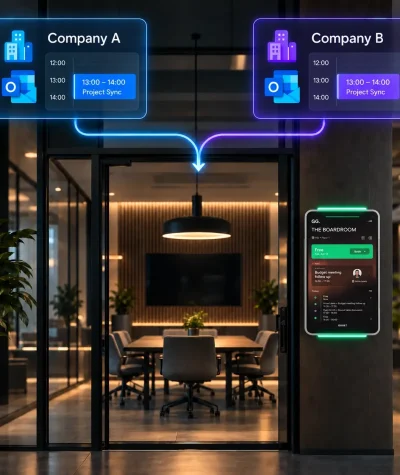
The room might belong to the landlord, coworking operator or property manager, while the people using it belong to many different organizations. Those companies may use separate Microsoft 365 or Google Workspace environments, different email domains, different IT administrators and different workplace policies.
Yet everyone needs access to the same physical rooms.
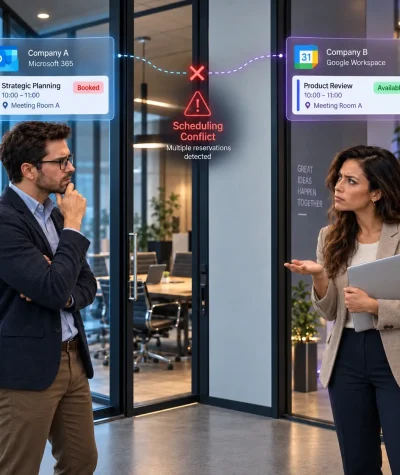
Without a proper booking system, the office operator can become the coordinator between tenants. Employees may need to ask reception whether a room is free, check a spreadsheet or rely on informal rules that become harder to manage as the workplace grows.
For a broader introduction to what a structured room-booking system can solve, see Why Every Company Needs a Conference Room Booking System.
The shared rooms should not depend on one tenant
One possible solution is to let one company own the booking process and ask everyone else to adapt to it.
That can create another dependency.
If Company A controls the meeting room calendars, what happens when Company A moves out? What happens when a new tenant arrives? Who is responsible when another organization cannot access the system?
A better starting point is to treat the meeting rooms as shared workplace resources rather than resources belonging to one of the tenants.
For landlords, Facilities teams and coworking operators, that creates a cleaner model. The companies using the building can change over time, while the rooms and the booking platform remain part of the shared workplace.
In other words:
Share the meeting rooms without making the booking process dependent on one of the companies using them.
A shared booking platform gives every tenant access to the same rooms
A workspace booking platform can act as the common layer between the shared physical workplace and the organizations using it.
With GOGET, shared rooms can be managed centrally while authorized users from participating companies are given access to them. Instead of asking every tenant to create its own process for the same rooms, everyone works from the same underlying room availability.
For the operator, this creates a central place to manage shared resources. For employees, it creates a clear way to find and reserve available rooms.
Just as importantly, every organization does not have to use exactly the same booking workflow. The right model depends on how closely shared room booking should connect to each tenant’s normal way of working.
Three ways to manage meeting room booking across multiple companies
GOGET can support different levels of booking integration, so a coworking operator or multi-tenant office can choose a model that fits the workplace.
1. Use GOGET as the central booking platform
The most direct approach is to give users access to the shared meeting rooms through GOGET.
Employees can find and reserve rooms through the GOGET web reservation portal or mobile app. Organizations using Microsoft tools can also bring the GOGET booking experience into Teams and Outlook. You can read more in GOGET’s Teams & Outlook app release.
This gives everyone a common view of the shared rooms without requiring the participating companies to build a booking process between themselves.
For coworking spaces and flexible offices, this can be particularly useful because tenants may change frequently. A new company can be given access to the shared workplace without making its internal calendar environment the foundation of the building’s room-booking system.
2. Connect shared room bookings with employees’ personal calendars
A common booking platform does not have to mean that reservations sit outside employees’ normal calendars.
GOGET users can link their business calendar to the booking experience. When a user reserves a meeting room through GOGET, the reservation can be added automatically to their personal work calendar and appear in software such as Outlook or Google Calendar.
This creates a practical middle ground. The coworking or shared-office operator retains centralized control over the rooms, while employees still see meetings in the calendar they already use every day.
GOGET’s Help Center explains how users can link a personal calendar to the Web Reservation Portal.
3. Let each organization book the room from its own calendar environment
Long-term corporate tenants may want the shared-room experience to feel almost identical to booking an internal meeting room.
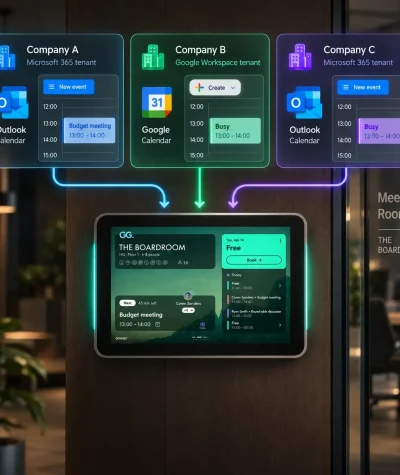
GOGET’s Cross-Organization Shared Room Calendars are designed for this scenario. One physical meeting room can be connected to room-resource calendars belonging to different participating organizations using supported Microsoft 365 and Google Workspace environments.
Each organization can continue booking through its own Outlook, Teams or Google Calendar workflow. When one organization reserves the shared room, GOGET synchronizes the linked room calendars so the same time is blocked for the other participating organizations.
The result is one coordinated availability state for the physical room while the companies continue operating in separate calendar environments. Mirrored reservations are private by default, helping avoid unnecessary exposure of meeting information between organizations.
For more detail, see GOGET’s Introduction to Cross-Organization Shared Room Calendars.
What matters in a shared meeting room booking system?
At the awareness stage, the main questions are simple.
The system should give participating companies a reliable view of shared-room availability, make booking easy for employees, and allow the operator to manage the rooms without tying the whole setup to one tenant.
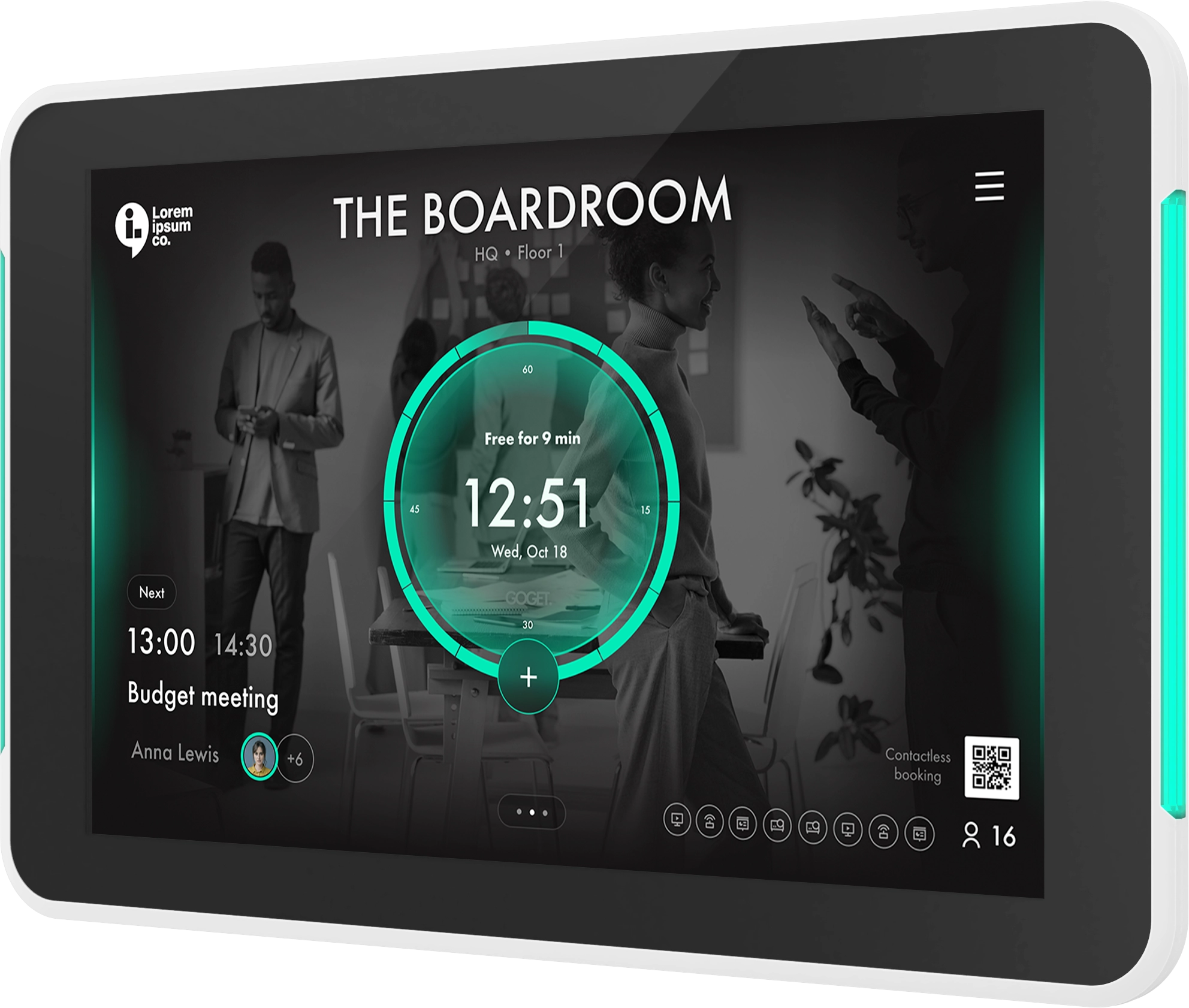
It should also be straightforward to add or remove organizations as the tenant mix changes. More advanced capabilities such as meeting room displays, maps or linking employees’ personal calendars to GOGET can then be added where they improve the experience.
Which booking model works for your coworking space or multi-tenant office?
There is no single correct level of integration for every shared workplace.
A coworking space with many small companies and frequently changing members may prefer a common GOGET web or mobile booking experience.
A serviced or flexible office with longer-term tenants may want employees to connect their personal calendars so reservations become part of their normal working day.
A multi-tenant corporate building with several established organizations may benefit from Cross-Organization Shared Room Calendars so employees can reserve common meeting rooms directly through their own Microsoft 365 or Google Workspace environments.
The important question is not:
How can we integrate every company’s IT environment?
It is:
What is the simplest booking experience that gives everyone reliable access to the shared rooms?
Starting with that question helps avoid unnecessary complexity.
Shared offices need shared room management
Coworking spaces and multi-tenant offices are built around a simple idea: independent organizations can share useful parts of the workplace without becoming one organization.
Meeting room booking should follow the same principle.
The rooms can be managed as common resources while the companies using them remain independent.
GOGET can support different levels of that experience: from a central web and mobile reservation platform, to personal calendar-connected bookings, to Cross-Organization Shared Room Calendars that allow participating companies to keep booking through familiar Outlook, Teams or Google Calendar workflows.
For landlords, Facilities teams, coworking operators and IT departments, that flexibility makes it possible to choose the level of integration that matches the workplace rather than building unnecessary dependencies between the companies sharing it.
Explore how GOGET can help manage meeting rooms across coworking spaces, shared offices and multi-tenant workplaces, or book a demo to discuss the booking model that fits your environment.