Table of Contents
- Why Booked-but-Empty Rooms Are Such a Common Problem
- What Manual Check-In Does Well
- Where Manual Check-In Falls Short
- What a Presence Sensor Adds
- Check-In vs. Presence Sensor: The Practical Difference
- Why the Best Approach Is Usually Check-In Plus Sensors
- How GOGET Helps Act as a Meeting Room “Traffic Cop”
- How to Choose the Right Workflow by Room Type
- Implementation Tips for Check-In, Auto Release, and Sensors
- What Buyers Should Look for in a Room Booking Setup
- Final Thoughts: Empty Rooms Should Not Stay Locked in the Calendar
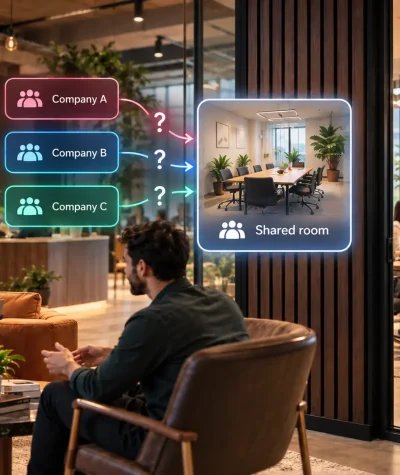
A meeting room can look busy in the Outlook/Gmail calendar and still sit empty in real life. Someone books a room, forgets to cancel, joins remotely, ends early, or never checks in. For employees trying to find a place to collaborate, the result is frustrating: rooms appear unavailable even when nobody is using them.
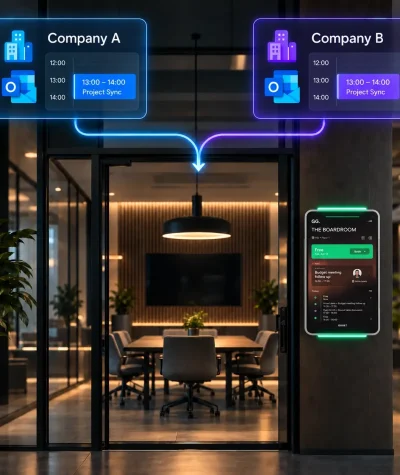
That is where check-in, auto-release, and a presence sensor can work together. Manual check-in gives users a simple way to confirm that a meeting is happening. Sensor-based presence detection adds a real-world signal from the room. When both are connected to a room booking display, the system can help act as an independent “traffic cop” for meeting spaces, reducing the gap between booked rooms and rooms actually in use.
This article explains what manual check-in does well, where it falls short, what occupancy sensors add, and how to decide which workflow fits different types of meeting rooms.
Why Booked-but-Empty Rooms Are Such a Common Problem
Most room booking systems start with the calendar. That is useful, but the calendar only shows intent. It does not always reflect what happens in the office.
Common causes of booked-but-empty rooms include:
- Meetings that are cancelled informally but not removed from the calendar
- Employees who book a room “just in case”
- Hybrid meetings where everyone joins remotely
- Meetings that end early but remain booked
- People who forget to check in at the room display
- Teams using a free room without booking it first
This creates friction for employees. They may walk past empty rooms that appear busy, interrupt meetings to ask whether a room is free, or waste time searching for somewhere to meet.
For workplace, IT, and facilities teams, the issue is also operational. If calendar data does not match actual usage, it becomes harder to understand room demand, right-size collaboration space, and improve the employee experience.
What Manual Check-In Does Well
Manual check-in is the simplest way to confirm that a booked meeting room is actually being used. When a meeting starts, users confirm the booking from the room display, typically by tapping a check-in button.
This approach works well because it is:
- Easy to understand: Employees know they need to confirm the room when they arrive.
- User-driven: The person using the room actively confirms that the booking is valid.
- Transparent: The workflow is visible on the display, not hidden in the background.
- Useful for no-shows: If nobody checks in within the allowed time window, the room can be released for others.
For many organizations, check-in is a practical first step toward better room utilization. It introduces a clear rule: if a room is booked but not confirmed, it should not stay blocked indefinitely but be automatically cancelled.
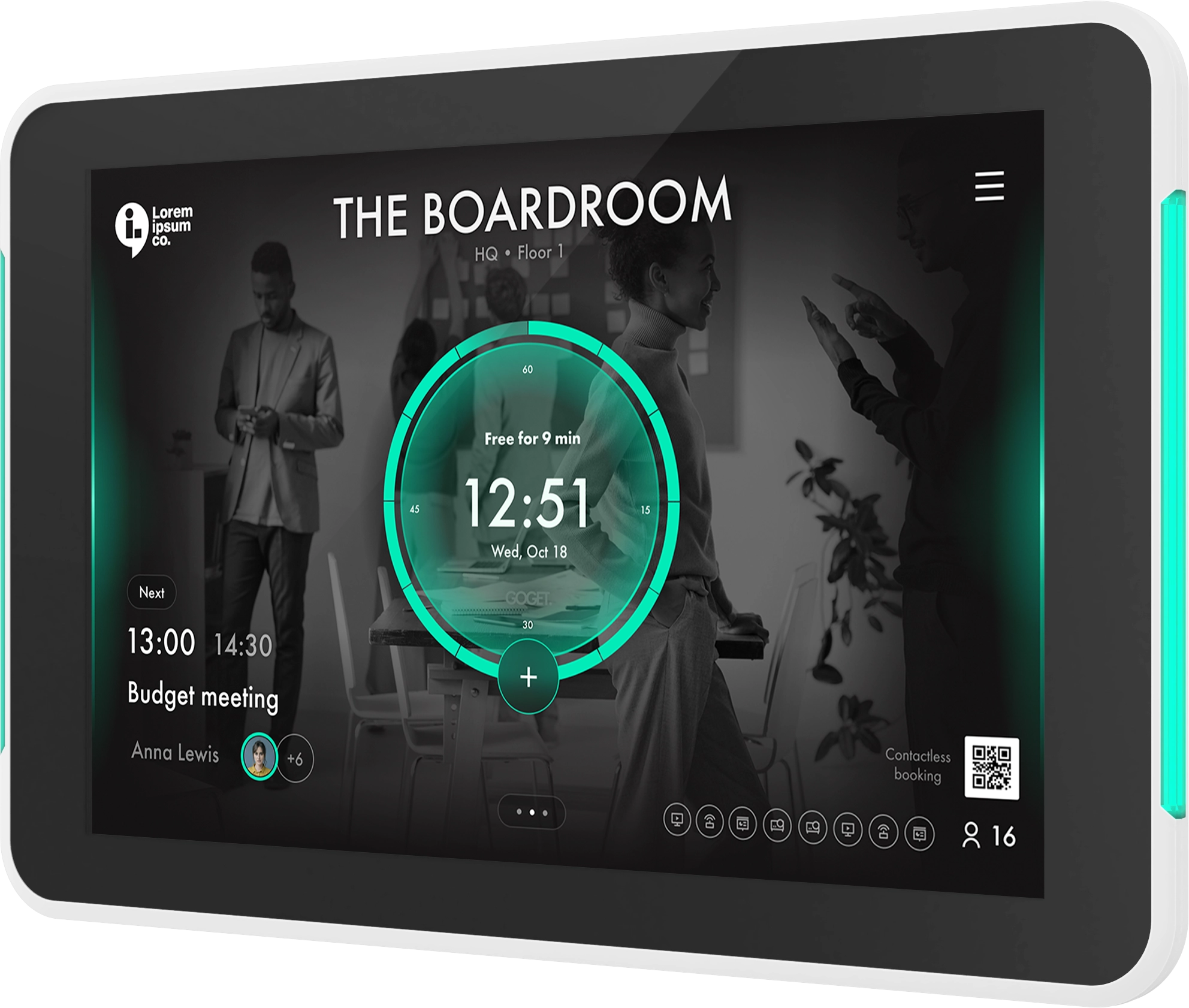
GOGET’s Room Display X supports room check-ins and automatic no-show release as part of the meeting room display workflow. The GOGET One meeting room display also supports room check-in and auto release at the display, making the workflow visible directly outside the room.
Where Manual Check-In Falls Short
Manual check-in is useful, but it still depends on people remembering to act. In busy workplaces, that is not always realistic.
People forget to check in
Employees may enter the room, start the meeting, and forget to confirm the booking. If the system is strict, the room may be auto released even though the meeting is happening. If the system is too relaxed, unused rooms may stay booked.
People use rooms without booking
A team may walk into a room that appears free and start a discussion without creating a booking. This may work for a quick conversation, but it creates confusion if another employee has booked the room later or if admins rely on calendar data for usage reporting.
Early endings may not be reflected
A meeting that ends 25 minutes early may still block the room in the calendar. Without another signal, the system may not know the room has become available again.
Human behavior is inconsistent
Different teams behave differently. Some employees follow check-in rules carefully. Others ignore them. This is why manual check-in alone may not be enough for high-demand meeting areas.
What a Presence Sensor Adds
A sensor solution adds a passive signal from the physical room. In a meeting room booking context, it helps detect whether a space appears to be in use based on presence or movement.
This does not replace the calendar. It complements it.
The calendar says: “This room is booked.”
The check-in says: “A user confirmed this booking.”
The sensor says: “The room appears to be occupied.”
That combination is powerful because it connects planned usage with real-world usage.
A sensor can support workflows such as:
- Identifying whether a booked room appears to be empty
- Supporting assisted check-in when presence is detected
- Helping release a room when it appears vacant
- Giving workplace teams better insight into actual room usage
- Reducing assumptions in space planning and utilization analysis
GOGET’s Room Sensors are positioned as a practical extension of room booking, GOGET One, and workplace insights. The room sensor automation is part of the ecosystem, with sensors communicating directly with an assigned GOGET One via BLE rather than requiring a separate gateway or hub.
Check-In vs. Presence Sensor: The Practical Difference
The best way to compare check-in and sensor-based workflows is to look at what each signal is best at confirming.
| Workflow signal | What it tells you | Best used for |
|---|---|---|
| Calendar booking | Someone reserved the room | Planning and scheduling |
| Manual check-in | A user confirmed the booking | No-show control and employee accountability |
| Room display interaction | Someone interacted with the room panel | Ad-hoc booking, extension, check-in, room search |
| Presence sensor | The room appears to be in use | Real-world presence insight and automation support |
Manual check-in is strongest when the organization wants a clear, user-confirmed action. A sensor solution is strongest when the organization wants an additional physical signal that does not rely only on employee behavior.
In practice, the strongest setup usually combines both.
Why the Best Approach Is Usually Check-In Plus Sensors
For decision-stage buyers, the key question is not whether check-in or sensors are “better.” The better question is: which combination gives the office the right balance of employee control, automation, accuracy, and simplicity?
A layered workflow can help solve several problems at once.
1. Check-in confirms user intent
When employees arrive for a scheduled meeting, check-in confirms that the booking is still needed. This makes the process easy to understand and helps prevent rooms from staying booked because of forgotten calendar events.
2. Sensors add a real-world presence signal
A presence sensor can help identify whether the room appears to be in use. This is valuable when employees forget to check in, when meetings end early, or when rooms are used informally.
3. Auto release helps return unused rooms to circulation
Auto release is important because it turns policy into action. Instead of relying on employees to manually cancel every unused booking, the system can release a room based on check-in rules or sensor-supported vacancy rules, depending on configuration.
This matters most in high-demand areas where one unused booking can create a chain reaction of frustration.
4. The room display makes the workflow visible
A room booking display gives employees immediate feedback. They can see whether a room is free, busy, soon available, or requires check-in. They can also book directly at the display or look for nearby rooms when supported by the system.
That visibility is what makes the workflow feel fair. Employees are less likely to feel blocked by invisible rules when the display clearly shows what is happening.
How GOGET Helps Act as a Meeting Room “Traffic Cop”
In a busy office, employees should not have to investigate whether an empty room is truly available. The room booking system should help make that clear.
GOGET’s approach connects room booking software, GOGET One display hardware, and room sensors into the same workplace workflow. Room Display X supports check-in and automatic no-show release, while GOGET One provides a dedicated display outside the room. GOGET Room Sensors can add a room-presence signal through BLE-connected sensors when sensor automation is configured.
This creates a practical “traffic cop” model:
- The calendar manages the scheduled booking.
- The display shows room status and prompts user action.
- Check-in confirms that the meeting is happening.
- The presence sensor adds a passive room-presence signal.
- Auto release can help free rooms that are not checked in or appear unused, depending on configuration and room rules.
The result is a more balanced meeting room workflow. Employees still understand and control the booking experience, while automation helps prevent empty rooms from staying unavailable longer than necessary.
How to Choose the Right Workflow by Room Type
Different rooms need different rules. A small phone booth should not necessarily behave like an executive boardroom or a large training room.
Small offices and low-demand rooms
For smaller offices, manual check-in and auto release may be enough. If room demand is moderate and employees follow booking rules consistently, a simple workflow can reduce no-shows without adding unnecessary complexity.
Best fit:
- Manual check-in
- Auto release for no-shows
- Clear display status outside each room
Large offices and multi-floor workplaces
Larger workplaces usually benefit from combining check-in with sensor signals. More rooms, more employees, and more hybrid schedules create more mismatch between planned and actual usage.
Best fit:
- Check-in at the room display
- Presence sensor support for presence insight
- Auto release rules for no-shows and early vacancy
- Interactive maps or nearby-room search
Phone booths and small focus rooms
Phone booths are often used spontaneously. Employees may step in for a short call without creating a calendar booking. Here, sensor-supported workflows can be especially helpful because actual presence may matter more than formal scheduling.
Best fit:
- Presence-aware room status
- Simple ad-hoc booking
- Shorter booking windows
- Vacancy release when the room is no longer in use
High-demand meeting areas
High-demand rooms need stricter rules because unused bookings create immediate frustration. These areas are strong candidates for combining check-in, auto release, and a presence sensor.
Best fit:
- Required check-in
- Short no-show grace period
- Sensor-supported assisted check-in or vacancy release
- Clear room display messaging
- Analytics review to refine rules over time
Executive rooms and boardrooms
Executive rooms may require a more cautious setup. These rooms often have sensitive meetings, longer bookings, and different service expectations. Automation can still help, but rules should avoid unnecessary disruption.
Best fit:
- Manual check-in with a longer grace period
- Conservative auto release settings
- Sensor use for insights rather than aggressive release rules
- Admin review of usage patterns
Implementation Tips for Check-In, Auto Release, and Sensors
To make the workflow successful, treat it as an operational design project rather than a single feature switch.
1. Start with the room problem
Identify what you are trying to solve. Is the issue no-shows, early endings, room squatting, poor utilization data, or employee frustration? The right setup depends on the problem.
2. Define check-in rules clearly
Employees should know when check-in is required, how long they have to confirm a booking, and what happens if they do not.
3. Use auto release carefully
Auto release should be helpful, not surprising. Start with rules that match employee behavior and room demand. High-demand rooms may need stricter settings, while sensitive rooms may need more conservative rules.
4. Test sensor placement
A PIR presence sensor detects presence or movement; it does not identify people or count attendees. Placement matters. Large rooms, glass walls, heat sources, seating layout, and limited movement can affect performance. For best results, the PIR signal should be treated as one input alongside calendar state, check-in behavior, room display interaction, thresholds, admin settings, and room-specific rules.
5. Review analytics and adjust
The first configuration does not need to be perfect. Review no-shows, recaptured time, room utilization, and employee feedback. Then adjust grace periods, release rules, and sensor behavior by room type.
What Buyers Should Look for in a Room Booking Setup
When evaluating a meeting room booking system with check-in and sensor automation, look beyond the sensor itself.
Key questions to ask include:
- Does the system support manual check-in at the room display?
- Can it auto release unused bookings?
- Can sensor rules be configured by room or workspace?
- Does the sensor connect directly to the booking workflow?
- Is a separate gateway, hub, or server required?
- Can admins monitor sensor health and battery levels?
- Can the system support both calendar-based booking and real-world presence signals?
- Does the room display make status clear for employees?
- Can the setup scale across offices and room types?
- Does the system avoid camera-based or identity-based tracking for basic room presence use cases?
These questions matter because the goal is not just to install a sensor solution. The goal is to make meeting rooms easier to find, easier to trust, and easier to manage.
Final Thoughts: Empty Rooms Should Not Stay Locked in the Calendar
Booked-but-empty rooms are not just a scheduling issue. They affect employee experience, workplace trust, collaboration, and space utilization.
Manual check-in helps employees confirm that a booking is real. Auto release helps return unused rooms to availability. A presence sensor adds a real-world presence signal that can make room status and usage data more accurate when configured correctly.
For many organizations, the best approach is not to choose one method. It is to combine them. When check-in, room displays, auto release, and sensor-based presence signals work together, meeting rooms become easier to manage and easier for employees to use.
To learn more, explore GOGET Room Sensors or see how Room Display X supports check-in, no-show release, and meeting room booking workflows.