Table of Contents
- What is a room occupancy sensor gateway?
- Why sensor architecture matters for buyers
- When gateways make sense — and when they add complexity
- A simpler option: the room-display hub model
- How GOGET removes the need for a separate gateway
- What room sensors add to booking workflows
- What to know about sensor placement and limits
- Gateway vs no-gateway: quick comparison
- Questions to ask before choosing sensor architecture
- Final thoughts: choose the architecture your use case actually needs
What is a room occupancy sensor gateway?
A room occupancy sensor gateway is a device or software layer that receives signals from occupancy sensors and passes that data into another system. In practice, the gateway acts as a relay. It may collect data from sensors using Bluetooth Low Energy, Zigbee, LoRaWAN, Wi-Fi, or another protocol, then forward that data to a cloud platform, workplace analytics system, room booking platform, or building management system. A gateway can be useful when many sensors need to be managed across a large building. However, it also becomes another component to install, power, configure, secure, monitor, and support.
Why sensor architecture matters for buyers
Sensor architecture affects more than technical setup. It influences rollout effort, IT ownership, support responsibilities, and long-term scalability. A sensor project may look simple at the product level but become more complex once gateways, network permissions, firmware updates, monitoring, and vendor responsibilities are included. For workplace and facilities teams, the practical questions are:
- How many devices need to be installed?
- Who owns the network and support process?
- What happens if a sensor, gateway, or display goes offline?
- Does the signal connect to room booking workflows?
- Can the system scale without creating extra admin work?
This is why the room occupancy sensor gateway decision should be made early, before choosing hardware.
When gateways make sense — and when they add complexity
Gateway-based systems are common in broader IoT and smart-building environments. They are often designed to collect data from many different sensor types across rooms, floors, buildings, or campuses. A workplace sensor gateway may make sense when the project includes:
- Environmental monitoring across many areas
- Several sensor types from different vendors
- Integration with building management systems
- Building-wide IoT infrastructure
- Spaces that do not have room displays
- Advanced people-counting or multi-sensor analytics
In these cases, the gateway can provide a structured way to collect and route sensor data. The tradeoff is that the gateway becomes part of the infrastructure footprint. A gateway can become less attractive when the use case is narrower and room-specific. Many meeting room sensor projects are not trying to build a full smart-building platform. They are trying to answer practical room booking questions:
- Is this booked room actually in use?
- Did a meeting end early?
- Can an unused room be released when configured for that workflow?
- Can workplace teams compare bookings with real-world usage?
- Can employees trust room availability more easily?
For these use cases, a separate room occupancy sensor gateway can add more architecture than the problem requires. It may introduce extra hardware, network dependencies, support tasks, and possible failure points. This is especially true when each meeting room already has a dedicated room booking display outside the door.
A simpler option: the room-display hub model
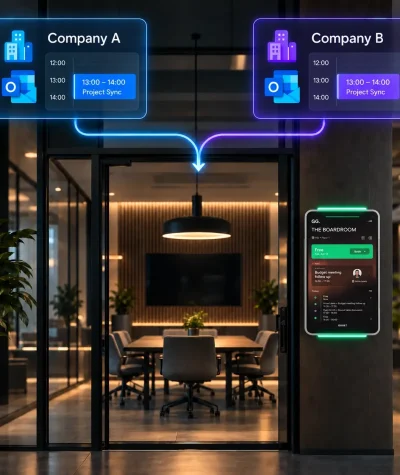
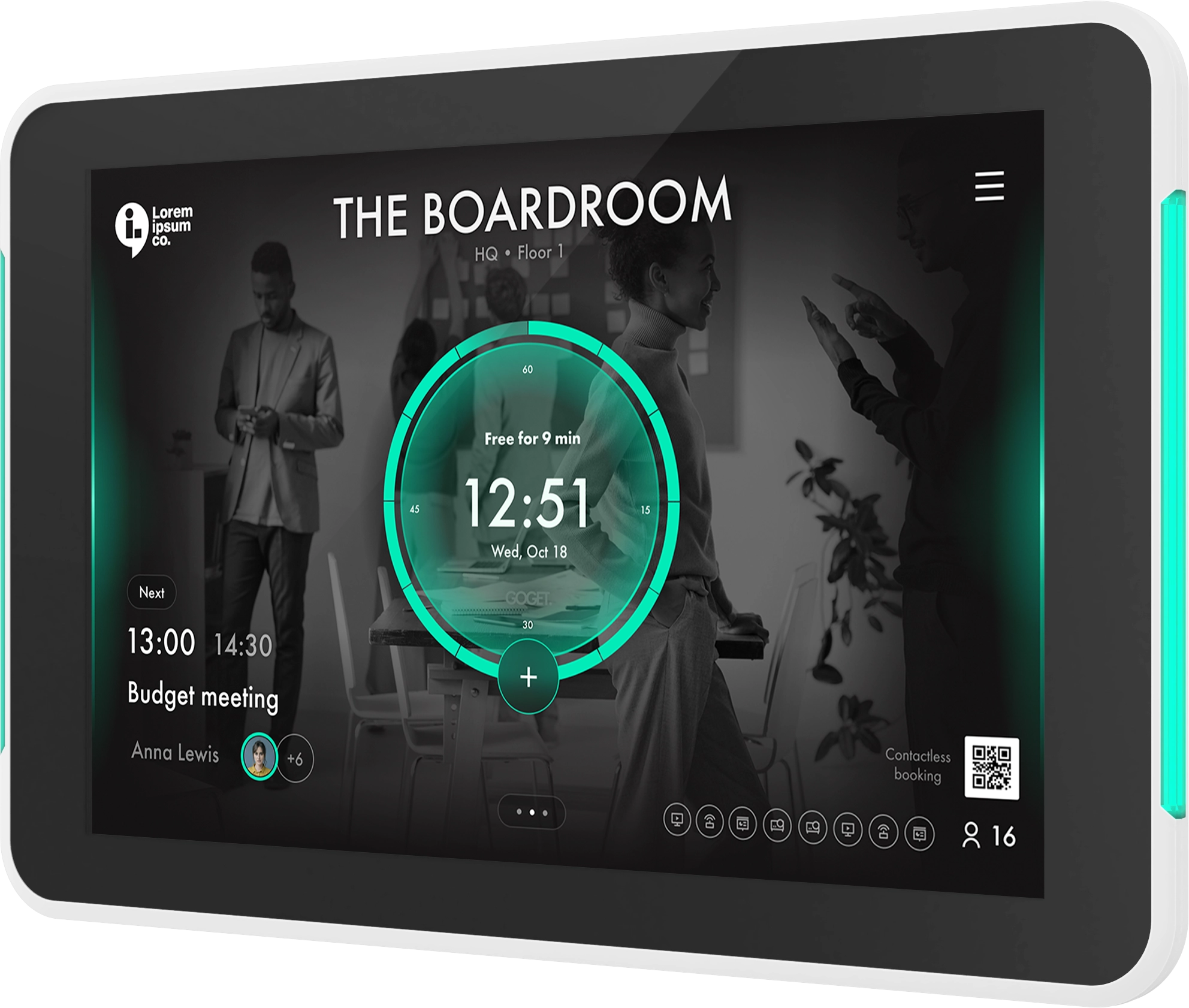
A room-display hub model uses the meeting room display as the local connection point for room sensor data. Instead of installing a separate gateway, the room sensor communicates with the room display. The display then connects the room-level signal to the booking platform, admin tools, and workplace analytics. This model is especially relevant when:
- Each meeting room already has a professional display
- The main goal is room booking automation
- The sensor is installed in or near the same room
- IT wants fewer standalone infrastructure components
- Facilities wants a cleaner installation
- Workplace teams want sensor data tied directly to booking workflows
In this model, the display is not just a screen. It becomes part of the room’s operational infrastructure.
How GOGET removes the need for a separate gateway
GOGET’s room sensor model is built around this simpler architecture. Room sensor automation is built into the GOGET One Gen 2 ecosystem, and sensors communicate directly with an assigned GOGET One via BLE. With this setup, there is no requirement for separate gateways, hubs, extra servers, extra wiring, programming, or third-party services. That is the key decision-stage difference: GOGET does not require buyers to add a separate workplace sensor gateway just to connect meeting room sensors to the booking system. In addition, sensor behavior, automation, and telemetry are managed in the admin portal, including sensor health monitoring, battery levels, and configuration per device and workspace. For buyers, this can reduce the number of infrastructure questions in the project. Instead of planning a separate sensor network, teams can evaluate the room display, sensor, booking workflow, and admin experience as one connected setup.
What room sensors add to booking workflows
Calendar bookings do not always reflect real room usage. A room may be booked but empty. A meeting may end early. Someone may walk into a free room for an ad-hoc discussion. A team may forget to check in. A room sensor adds a physical occupancy signal that can help connect calendar-based booking with real-world room presence. When configured appropriately, this can support workflows such as:
- Assisted check-in
- Vacancy release
- Auto booking
- Clearer room status
- More useful utilization data
- Better planning decisions for workplace teams
There are three automation scenarios tied to occupancy sensors: auto booking, assisted check-in, and vacancy release. These should be framed carefully because behavior can depend on plan, configuration, room rules, sensor placement, and deployment setup. Many room occupancy sensors use PIR, or passive infrared sensing. A PIR sensor detects presence or movement by sensing changes in infrared energy. It can help identify whether a room appears to be in use, but it should not be described as people-counting, identity tracking, camera-based monitoring, or employee surveillance.
What to know about sensor placement and limits
A room sensor is useful, but it is not the only source of truth. Booking state, check-in behavior, room display interactions, time thresholds, admin settings, and room-specific rules may all affect how the signal is used. GOGET’s occupancy sensor is an infrared presence sensor using BLE communication. The listed presence detection range is up to 5 m, and the listed indoor communication range is up to 20 m. Sensor placement also matters. Meeting rooms can include people sitting still, glass walls, movement outside the room, multiple entrances, sunlight, heat sources, or HVAC airflow. A good rollout should test sensor placement in the real room environment before relying on automation.
Gateway vs no-gateway: quick comparison
The right architecture depends on the use case.
| Evaluation area | Gateway-based sensor system | Room-display hub model |
|---|---|---|
| Local hardware | Sensors plus one or more gateways | Sensors connect to the room display |
| Best fit | Broad IoT or smart-building projects | Meeting room booking automation |
| Network planning | May require separate gateway review | Uses the room display as the local hub |
| Support model | Gateway, sensor, and platform may need separate troubleshooting | Fewer local components to isolate |
| Data context | Often designed for broad sensor collection | Closely tied to room booking workflows |
| Buying question | Do we need building-wide sensor infrastructure? | Can the room display handle the room sensor signal? |
A gateway-based system may be the right choice for a broad smart-building initiative. A gateway-free room-display model may be simpler when the primary goal is to improve meeting room visibility, booking accuracy, and space planning.
Questions to ask before choosing sensor architecture
Before choosing a room occupancy sensor gateway or a gateway-free model, ask vendors these questions:
- Does the system require a separate gateway, hub, server, or sensor network?
- How does the sensor communicate with the room booking platform?
- Who manages sensor health, battery status, and configuration?
- What happens if the gateway, display, or sensor goes offline?
- Does the occupancy signal support check-in, auto booking, vacancy release, or analytics?
- Which workflows depend on plan, configuration, or room rules?
- How is sensor placement tested during rollout?
- What data does the sensor transmit, and does it include personal data?
- What hardware needs power, cabling, mounting, or network approval?
- How easy is it to expand from a few rooms to many rooms?
These questions help buyers compare total operational complexity, not just the sensor specification.
Final thoughts: choose the architecture your use case actually needs
A room occupancy sensor gateway is not automatically good or bad. It is an architecture choice. For broad smart-building projects, gateways can make sense. They can support multi-sensor environments, building-level integrations, and centralized IoT strategies. For meeting room booking automation, a separate gateway may add unnecessary complexity. If each room already has a professional display, it may be simpler to use that display as the local hub for the sensor signal. That is where GOGET’s approach is especially relevant. By connecting BLE room sensors directly to GOGET One, GOGET keeps the sensor architecture close to the booking workflow it is designed to improve. The result is a simpler path for organizations that want real-time room presence insight without adding a separate workplace sensor gateway layer.
Not sure which room occupancy sensor setup is right for your workplace?
Explore GOGET Room Sensors, or book a demo to see how room presence insights can support meeting room booking, automation, and workplace planning.