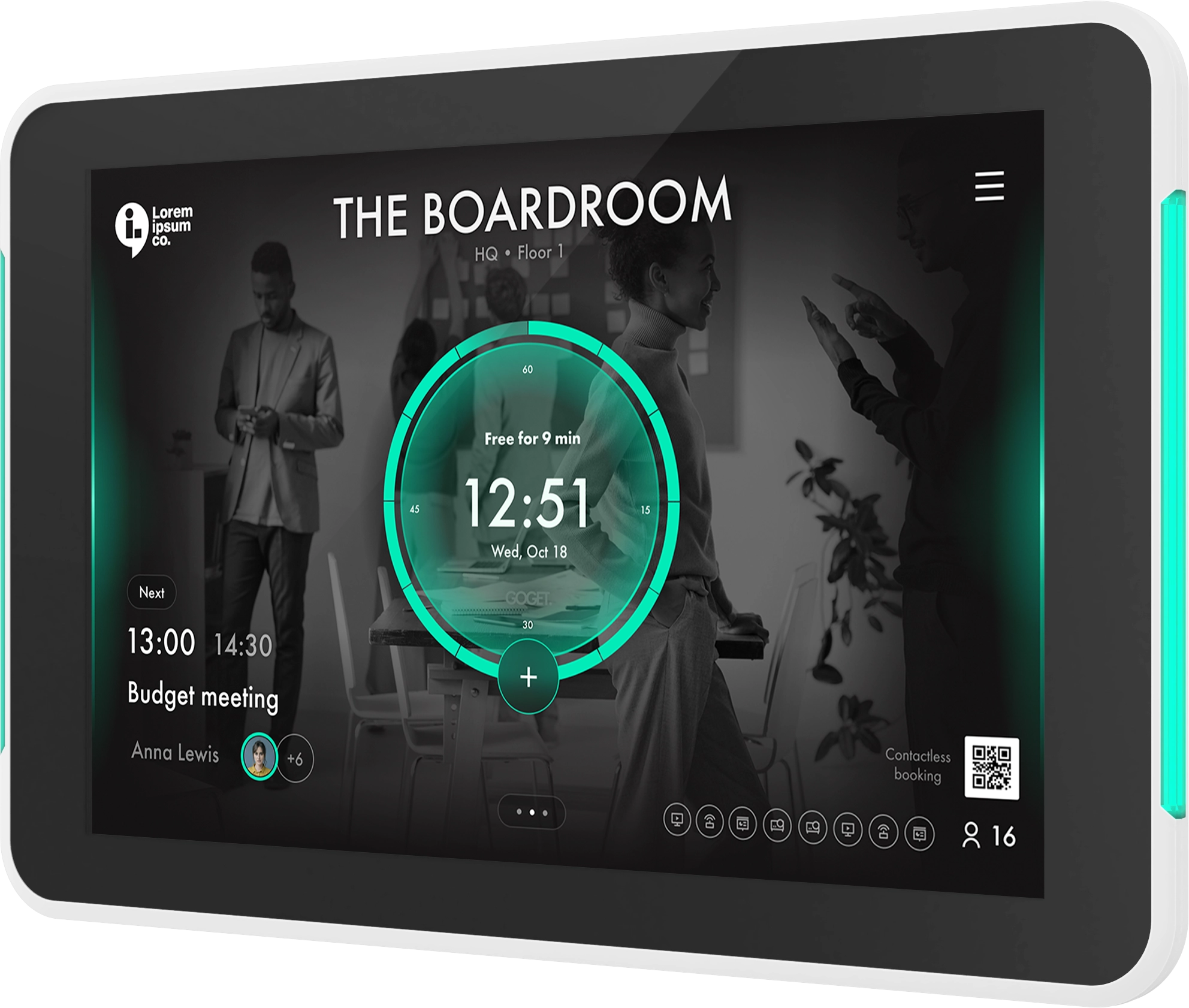
This release brings new features to the GOGET workspace platform, including shared room calendars across organizations, multi-day desk reservations, configurable booking windows for rooms and desks, and expanded occupancy sensor support for meeting room displays.
We’re introducing the new GOGET One (2nd Gen) Automation Edition, combining the room display with an included Workspace Occupancy Sensor to enable presence-based automation, reduce ghost meetings, improve room utilization, and provide more accurate workplace insights.
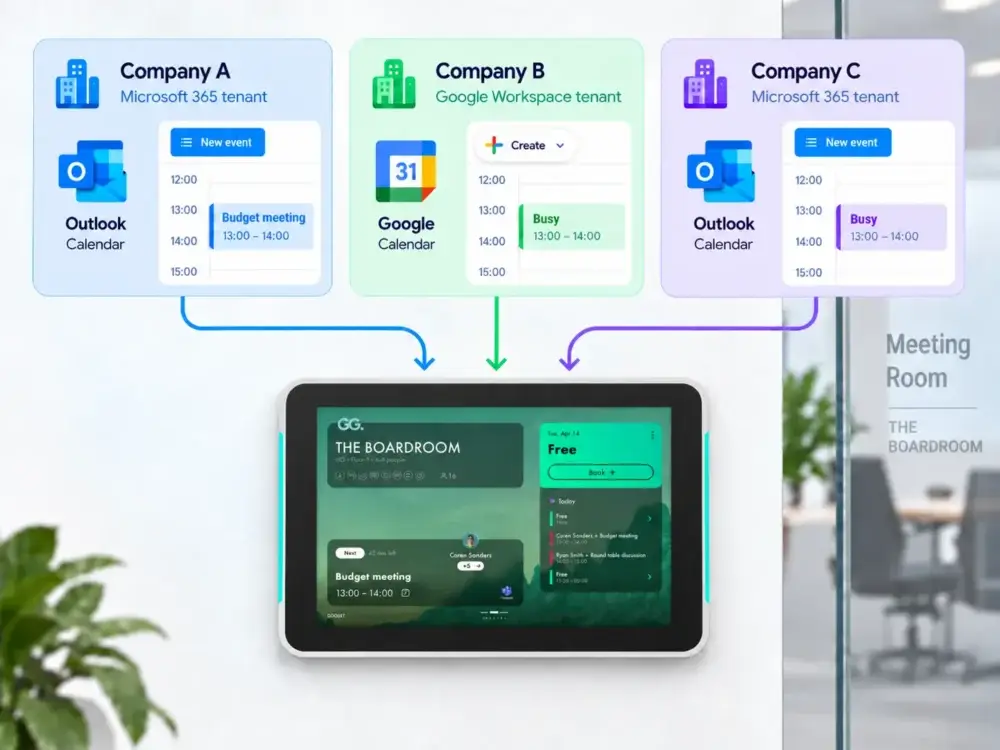
The all-new feature Cross-Organization Shared Room Calendars makes it simple for multiple organizations to share the same meeting room while continuing to book it through their own Microsoft 365 or Google Workspace calendars. GOGET keeps the connected calendars synchronized automatically, so employees can reserve the room just as they would any other room in their own organization, while availability stays consistent across all participating organizations.
After more than 10 years of successful service, we have also reached End-of-Life for the legacy Room Display Center-based platform.
What’s New:
Introducing GOGET One (2nd Gen) Automation Edition
- We’re introducing the new GOGET One (2nd Gen) Automation Edition — designed for smarter, more automated meeting room management.
- With every GOGET One Automation Edition, a Workspace Occupancy Sensor is included at no additional cost.
- The sensor enables presence-based automation such as automatic booking, automatic check-in, room release and occupancy-aware workflows, helping organizations reduce ghost meetings, improve room utilization and generate more accurate workplace insights.
- GOGET One Automation Edition brings display, occupancy sensing and room automation together in one complete solution.
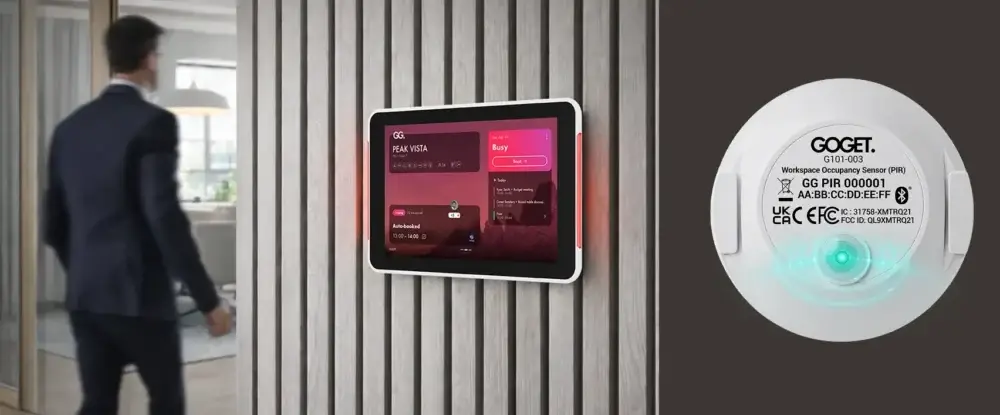
Cross-Organization Shared Room Calendars (Admin Web Dashboard, Room Display X)
- Multiple organizations using different calendar solutions, such as Microsoft 365 and Google Workspace, can now assign their own calendars to the same shared physical room.
- Bookings created in one connected organization are synchronized with the other linked room calendars, so each organization sees consistent room availability in its own calendar environment.
- Mirrored bookings are private by default to protect meeting information across organizations, with configuration available for this behavior.
- Room booking displays use the synchronized room data to present unified room availability.
- Cross-Organization Shared Room Calendars is available as an add-on for the BusinessPLUS (formerly Pro) plan tier.
Multi-Day Desk Reservations (Admin Web Dashboard, Mobile App)
- Users can now select up to 10 individual dates and reserve a desk across those dates in a single booking flow.
- Search results only show desks that are available for all selected dates and the chosen time period.
- Existing location, amenity, permission, booking rule, and availability checks continue to apply to each reservation.
Configurable Booking Windows and 180-Day Calendar Horizon (Admin Web Dashboard, Room Display X, Mobile App)
- Admins can now configure how many days in advance each room or desk can be reserved, with a maximum booking window of 180 days.
- Users can browse availability and existing reservations up to 180 days into the future, while booking restrictions remain specific to each room or desk.
Expanded Multi-Sensor Support (Room Display X, GOGET One, Admin Web Dashboard)
- GOGET One and Room Display X now support up to three occupancy sensors for a single room, improving motion coverage in larger spaces.
- Motion detected by any connected sensor contributes to the room’s occupancy status, while existing auto-book, auto check-in, auto release, vacancy cooldown, and presence-confirmation workflows continue to operate as before.
- Room status remains normal as long as at least one configured sensor is online, and changes to unhealthy only when all configured sensors are offline.
- The Dashboard can display status information for up to three connected sensors, including sensor identification and MAC address details.
Improved Sensor Setup and Instant Motion Detection (Room Display X, Admin Web Dashboard)
- Added an Instant motion sensitivity option that activates as soon as a person enters the room, enabling faster and more responsive occupancy detection.
- Sensors can now be added manually in Room Display X using their MAC address, allowing a sensor to be saved before it has been discovered locally.
Prioritize Available Rooms in Wayfinder X (Wayfinder X, Admin Web Dashboard)
- Added a new Prioritize available rooms display option for Wayfinder X.
- When enabled, available rooms receive display priority while events use the secondary display position.
- In landscape layouts without a map, available rooms and events switch columns to reflect the selected priority.
- The existing event-priority behavior remains the default.
Room Display X Usability and Reliability Improvements (Room Display X)
- Added a restart option under General settings, making it easier to restart mounted GOGET One devices without accessing the power connection.
- Updated map handling so changed floor maps, rooms, points of interest, and desks refresh correctly without requiring an application restart.
- Meeting extensions now respect the configured maximum booking duration and cannot extend a reservation beyond the allowed limit.
- Improved touch behavior and sensor management in device settings.
Room Display Center End-of-Life (Legacy Platform)
- The legacy Room Display Center-based platform, supporting Room Display 4/5/6, Room Finder, and Booking Kiosk Pro, is now End-of-Life and permanently shut down.
- For more information about the End-of-Life of Room Display Center and what it means for your organization, visit https://admin.gogetcorp.com/room-display-center-eol.
Updated client versions:
Room Display X: 1.1.4
Wayfinder X: 1.2.3
Mobile App:
– iOS: 1.6.40
– Android OS: 1.18.25
If you have questions or need assistance, our support team is here to help.
Best regards,
The GOGET Team