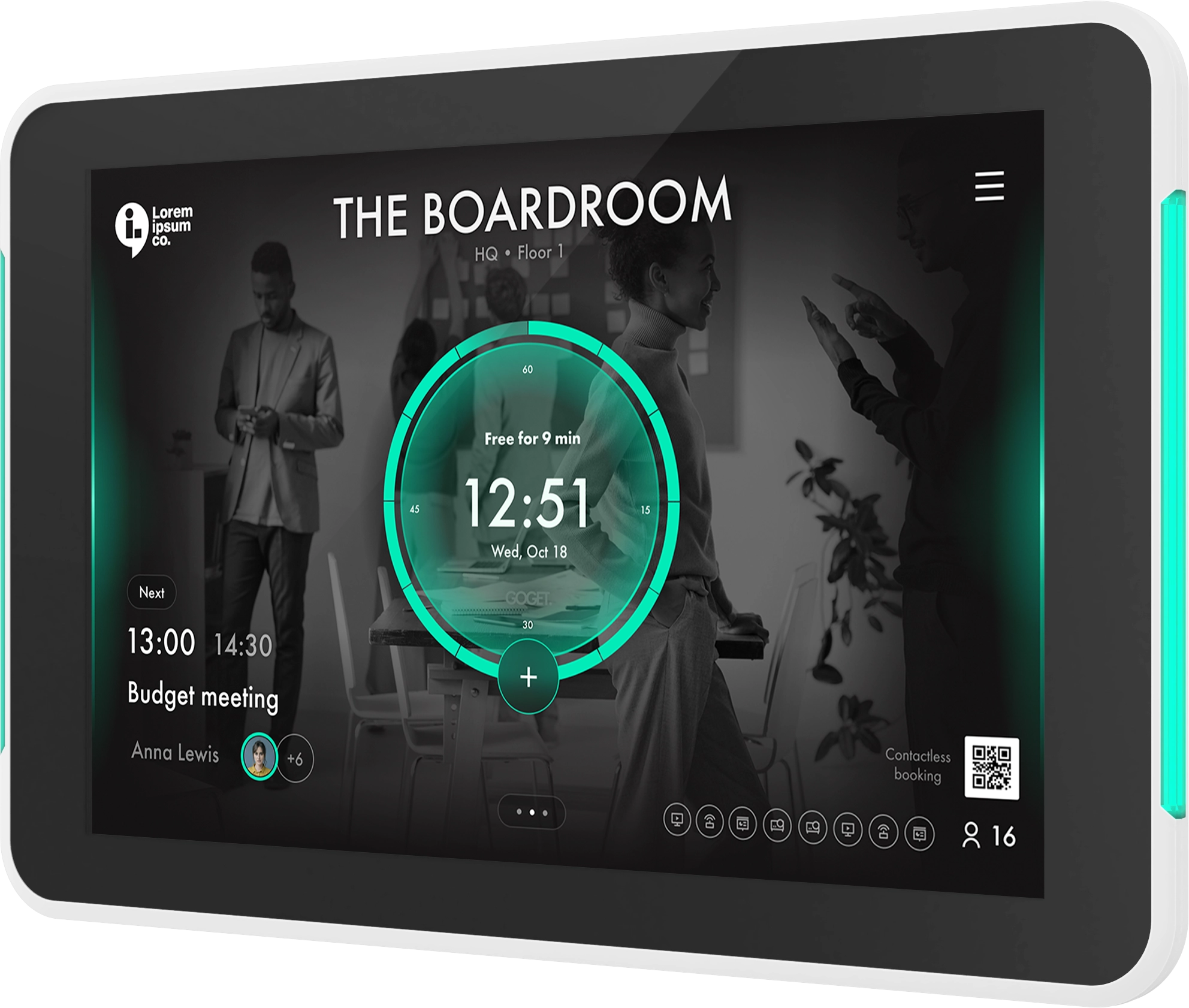
This release introduces one of the most significant updates yet to the GOGET workspace platform, centered around the launch of Sensor Automation for smarter meeting room experiences.
Alongside Sensor Automation, this release focuses on giving admins more control, improving device visibility, and making booking experiences more consistent across Room Display X, Wayfinder X, and the Web Dashboard/WorkPoint.
What’s New:
Sensor Automation for Smarter Meeting Rooms
(Room Display X, Goget One Gen 2, Occupancy Sensor, Admin Web Dashboard)
- Introduced motion-based room automation with automatic room booking, auto check-in, and intelligent room release based on real-time occupancy detection
- Added configurable automation profiles and presets optimized for different room types, including drop-in spaces, team rooms, and executive rooms
- Admins can remotely configure motion sensitivity, vacancy cooldown, auto-release timing, and automatic booking duration from the Dashboard
- Added remote sensor health monitoring and intelligent health gates to detect conditions impacting full sensor functionality
- Wireless occupancy sensors now connect directly to Goget One without gateways or additional infrastructure, enabling a frictionless installation experience with 4+ years expected battery life
Expanded Hardware Support
- Added support for the latest Philips professional display models for Room Display X deployments. This includes core functionality support, while certain advanced features are only available on Goget One-supported devices. See the GOGET Help Center for detailed compatibility information.
Improved Workspace Hierarchy Management (Admin Web Dashboard)
- Admins can now move rooms, desks, and wayfinders freely within the workspace hierarchy without recreating objects manually
- Existing relationships, settings, and dependencies are preserved when objects are moved, simplifying workspace restructuring and office changes over time
Maximum Booking Duration Controls (Room Display X, Wayfinder X, Admin Web Dashboard)
- Added support for admin-configurable maximum booking durations for on-screen reservations
- Quick booking options, duration selectors, and calendar-based reservations now dynamically respect room booking policies
- Supported limits include Rest of day, 15 minutes, 30 minutes, 45 minutes, 1 hour, and 2 hours
- Settings are also supported in Room Settings Templates for easier multi-room rollout
Dynamic Booking Configuration in Wayfinder X (Wayfinder X)
- Wayfinder X now dynamically loads room-specific booking settings when opening the booking modal
- Meeting title, user name, and people count fields now follow the configuration assigned to each room
- Required fields are enforced automatically while hidden fields remain hidden for a cleaner booking experience
- Added automatic fallback meeting titles when users create reservations without specifying a title
Improved Scheduling Logic (Room Display X)
- Improved handling of back-to-back meetings and soon-free room scenarios
- Calendar View now uses a clearer default booking start time of 08:00 for future reservations
- People count behavior is now aligned consistently across Room Display X and Wayfinder X booking flows
Enhanced Device Visibility and Offline Notifications (Admin Web Dashboard)
- Offline notification emails now include clearer location information for affected devices
- Device Details now display the full location hierarchy path to help admins identify physical devices faster
- Improved handling of devices without assigned locations to reduce troubleshooting complexity
Admin-Configurable System Notification Recipients (Admin Web Dashboard)
- Owners and admins can now configure which users receive operational system notifications such as offline device reminders
- Helps distributed IT and facilities teams respond faster without relying solely on the owner account
Dashboard Usability Improvements (Admin Web Dashboard)
- Added A–Z sorting support in selected room, calendar, device, and wayfinder dropdown flows
- Added tooltips for icon-only actions and directory re-sync operations
- Refreshed the Dashboard login screen with updated visuals
- Added a new Dashboard information banner with easier access to GOGET news, Room Display X themes, and Wayfinder X information
Improved Microsoft 365 Sign-In Experience (WorkPoint)
- Updated Microsoft 365 app handling to make GOGET WorkPoint the primary user-facing app for key user flows
- Users can now sign in with SSO and connect personal calendars through a unified Entra ID app experience
Wayfinder X UI Refinements (Wayfinder X)
- Improved shorthand booking button alignment
- Refined QR code positioning and layout for a cleaner on-screen presentation
Updated client versions:
- Room Display X: 1.1.3
- WayFinder X: 1.2.2
If you have questions or need assistance, our support team is here to help.
Best regards,
The GOGET Team