Table of Contents
- Sharing a room should not mean sharing an IT environment
- Why two separate room calendars can create double bookings
- The goal is to synchronize the room, not the companies
- Why not simply let one company own the room calendar?
- Two approaches to sharing a meeting room
- How GOGET synchronizes Microsoft 365 and Google Workspace meeting rooms
- What do the two organizations actually share?
- What does this mean for employees?
- What happens at the meeting room display?
- Where is this approach useful?
- What still needs to be coordinated?
- One meeting room does not require one IT organization
Two independent organizations can share the same physical meeting rooms while continuing to use their own Microsoft 365 or Google Workspace environments. They do not need to merge tenants, share user directories, or create a broader IT integration just because they share a conference room.
Consider a simple example.
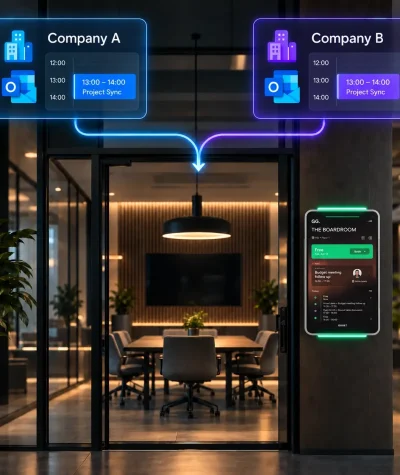
Company A and Company B rent space in the same office. They share several meeting rooms but are otherwise completely separate businesses.
Company A uses Microsoft 365 and Outlook.
Company B uses Google Workspace and Google Calendar.
Both companies want employees to book the shared rooms through the calendar they already use. At the same time, neither company wants its users, calendars or wider IT environment to depend on the other organization.
The challenge is therefore not simply:
Can Outlook and Google Calendar communicate?
It is:
How can two independent companies book the same physical meeting room while keeping their IT systems separate?
That is where synchronized room calendars become useful.
Sharing a room should not mean sharing an IT environment
When two organizations share an office, they may have very little else in common.
They can have different:
- email domains;
- IT administrators;
- user directories;
- security policies;
- Microsoft or Google environments; and
- internal processes.
They may not want to create shared accounts, link their directories or make one company’s calendar system responsible for the other company’s employees.
Yet physically, both companies may use the same meeting rooms every day.
What they need to share is not their IT environment.
They need to share the availability of the room.
This is an important distinction.
For a meeting room to work as a shared resource, both organizations need the same answer to one simple question:
Is the room free or busy?
Why two separate room calendars can create double bookings
Suppose the shared office has a meeting room called Stockholm.
Company A creates a Microsoft 365 room resource for it:
stockholm@companya.com
Company B creates its own Google Workspace room resource:
stockholm@companyb.com
From an employee’s perspective, these appear to be normal internal meeting rooms.
An Outlook user at Company A books Stockholm from 10:00 to 11:00.
Microsoft 365 now correctly shows Company A’s room resource as busy.
But Company B’s Google Workspace calendar does not automatically know that the same physical room has been reserved.
To a Google Calendar user, Stockholm may still appear free.
They could therefore book the same room at the same time.
Nothing is technically wrong with either calendar. Each system is simply working from its own information.
The problem is that two separate digital calendars are representing one physical room.
Something needs to keep their availability aligned.
The goal is to synchronize the room, not the companies
For independent organizations, the ideal solution is often to keep the integration as narrow as possible.
Company A keeps Microsoft 365.
Company B keeps Google Workspace.
Employees continue signing in with their existing company accounts.
Each company keeps its own room resource.
There is no need to merge user directories or establish a wider shared calendar environment.
Instead, a synchronization service connects the room calendars that represent the same physical space.
The principle is simple:
Company A room calendar → shared room ← Company B room calendar
When someone at Company A books the room, the same time becomes unavailable in Company B’s calendar.
When Company B books it, Company A also sees the room as unavailable.
The organizations remain separate.
Only the information needed to manage the shared room is coordinated.
Why not simply let one company own the room calendar?
That is another valid approach.
For example, Company A could own the room in Google Workspace and allow Company B’s Outlook users to book that Google resource.
Google provides interoperability options that can support cross-platform availability and resource booking between Google Workspace and Microsoft environments.
This can work well when there is a clear owner of the meeting rooms.
For example, a landlord or parent company might manage all shared rooms and allow other organizations to reserve them.
But it creates a particular relationship:
one organization owns the room resource, and the other organization accesses it.
That may not be desirable when the companies are independent peers.
Company B may prefer its employees to book what looks like a normal Company B room inside Google Calendar.
Company A may want exactly the same experience inside Outlook.
Neither company wants employees to care which IT environment technically owns the shared conference room.
That is when maintaining separate, synchronized room calendars can be a better fit.
Two approaches to sharing a meeting room
| Requirement | One organization owns the room | Separate synchronized calendars |
|---|---|---|
| One main calendar controls the room | Yes | No |
| Each company keeps its own room resource | No | Yes |
| Employees use familiar internal room booking | Not always | Yes |
| One company accesses another company’s resource | Usually | No |
| Wider cross-company calendar access may be required | Often | Not for the shared-room workflow |
| Best suited to | A clear room owner and external users | Independent organizations sharing facilities |
The key question is not whether one approach is universally better.
It is how independent the participating organizations want to remain.
How GOGET synchronizes Microsoft 365 and Google Workspace meeting rooms
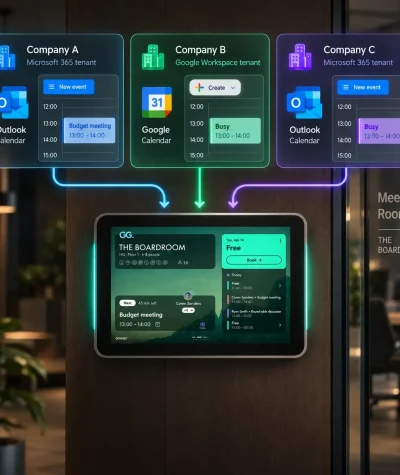
GOGET’s Cross-Organization Shared Room Calendars is designed for organizations that want to keep their own calendar environments while sharing physical rooms.
A single physical meeting room in GOGET can be connected to room resource calendars from different organizations.
For example:
Physical meeting room: Stockholm
Company A → Microsoft 365 room calendar
Company B → Google Workspace room calendar
GOGET → connects both calendars to the same physical room
Employees continue booking in the way they already know.
A Company A employee can open Outlook or Teams and reserve Stockholm.
A Company B employee can open Google Calendar and reserve its Stockholm resource.
GOGET synchronizes the shared room calendars so that a booking created by one organization blocks the same time in the other linked calendars.
To employees, the process remains familiar.
Outlook → Stockholm
Google Calendar → Stockholm
GOGET handles the synchronization between them.
This is the main benefit of the model: the technical complexity sits behind the scenes instead of becoming part of the employee booking process.
What do the two organizations actually share?
They do not need to share their complete calendars.
To avoid a double booking, the other company mainly needs to know that the room is unavailable during a certain period.
For example:
Company A books Stockholm from 14:00 to 15:00.
Company B needs to see that Stockholm is busy from 14:00 to 15:00.
It does not necessarily need to know:
- the meeting title;
- who organized it;
- who is attending;
- the agenda; or
- other meeting details.
GOGET marks mirrored cross-organization bookings as private by default.
This allows the room’s availability to be synchronized without automatically exposing the meeting details from the organization that created the reservation.
For independent companies, that can be an important part of keeping the relationship limited to the shared workspace.
What does this mean for employees?
Ideally, very little changes.
Employees do not need to learn a separate booking process simply because the office is shared.
An Outlook user can:
- create a meeting;
- select the familiar meeting room; and
- send the invitation.
A Google Calendar user can do the same through Google Calendar.
They do not need to:
- log into another company’s calendar environment;
- check a separate shared calendar first;
- understand which company technically manages the physical room;
- manually compare availability between two calendars; or
- know an external organization’s room email address.
The sync service handles the connection between the room calendars.
For employees, the meeting room behaves much more like an ordinary internal room.
What happens at the meeting room display?
There may be several calendars behind the room, but physically there is still only one meeting room.
The display outside it should therefore show one clear availability state.
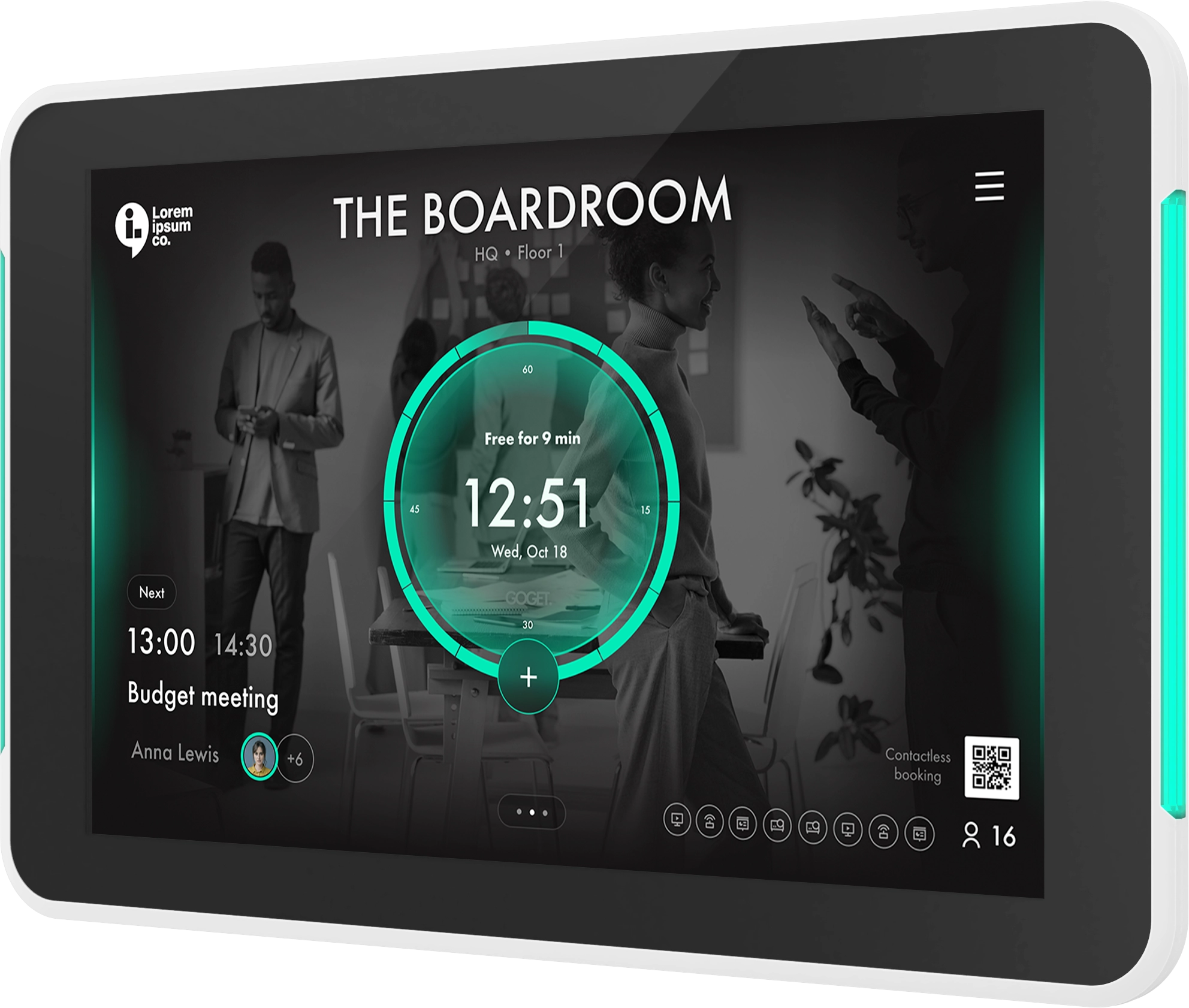
GOGET Room Display X can use the synchronized availability of a room configured with Cross-Organization Shared Room Calendars.
A reservation originating from either organization can therefore be reflected at the room itself.
Reservations made directly from the meeting room display can also be synchronized across the linked room calendars.
This can be especially useful when the office itself is managed as a shared facility while the companies using it remain separate.
The employees may belong to different organizations, but the physical room still behaves as one shared resource.
Where is this approach useful?
The model is relevant anywhere organizations share facilities without wanting broader IT integration.
Typical examples include:
- two independent companies sharing an office;
- coworking environments;
- landlords offering common meeting rooms to tenants;
- companies sharing a project office;
- subsidiaries with separate Microsoft 365 or Google Workspace environments;
- organizations that have been acquired but have not merged their IT systems; and
- business centers with common conference rooms.
The common factor is simple:
the organizations share physical space, but they do not want to share more IT infrastructure than necessary.
What still needs to be coordinated?
Keeping IT environments separate does not mean that no setup is required.
Each organization still needs the relevant room calendar connected to the GOGET environment, and someone needs responsibility for the shared-room configuration.
The participating organizations should agree on practical questions such as:
- which rooms are shared;
- which calendar resource represents each room in each organization;
- who manages the GOGET configuration;
- whether mirrored bookings should remain private;
- what booking rules apply to the shared rooms; and
- who manages any room displays or other common hardware.
These are primarily decisions about how the shared facility operates.
They do not require the companies to merge their wider IT environments.
One meeting room does not require one IT organization
Microsoft 365 and Google Workspace are built around their respective organizations.
A shared office does not always follow those boundaries.
Two completely independent companies can sit on the same floor, use the same conference rooms and still have no reason to integrate their wider IT systems.
In that situation, making one organization’s calendar responsible for the other’s booking experience may introduce a dependency that neither company wants.
A synchronized-room model offers another approach.
Each company keeps its own Microsoft 365 or Google Workspace room resource.
Employees continue booking through Outlook, Teams or Google Calendar.
GOGET coordinates the availability of the calendars that represent the same physical room.
The organizations remain separate. The calendars remain separate. The meeting room stays synchronized.
For companies sharing offices but wanting to preserve their IT independence, GOGET Cross-Organization Shared Room Calendars provides a practical way to share the resource that actually needs to be shared: the meeting room itself.
Explore GOGET’s Cross-Organization Shared Room Calendars or book a demo to see how synchronized meeting-room booking works across Microsoft 365 and Google Workspace.