Table of Contents
- What is a Ghost Meeting?
- Ghost Meeting vs. Zombie Meeting: What is the Difference?
- Why Ghost Meetings Happen
- Why Ghost Bookings Matter for the Workplace
- Manual Ways to Reduce Ghost Meetings
- Automated Ways to Reduce Ghost Meetings
- Room Displays Make Availability Visible at the Door
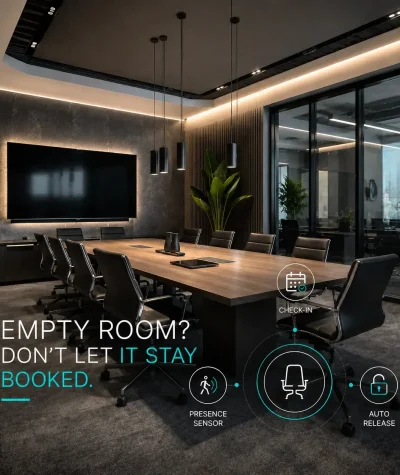
- Check-in Rules Help Confirm That Meetings Are Real
- Occupancy Sensors Add a Real-World Presence Signal
- Vacancy Release Helps Reclaim Rooms That Empty Early
- Analytics Help Teams Find the Pattern Behind the Problem
- Best Practices for Reducing Ghost Meetings
- How Goget Helps Reduce Ghost Meetings
- Conclusion: Ghost Meetings Are a Visibility Problem
What is a Ghost Meeting?
A ghost meeting is a room booking that remains active even though the meeting room is not actually being used.
In practice, it usually looks like this:
- A room is reserved in the calendar.
- Employees searching for space see the room as unavailable.
- No one checks in, enters the room, or uses the space.
- The room stays blocked until the booking ends.
Ghost meetings are also often called ghost bookings, meeting room no-shows, or no-show room bookings. The terms vary, but the problem is the same: the room booking system shows planned usage, while the physical workplace shows something else.
This matters because meeting rooms are shared resources. When one unused booking blocks a room, another team may lose access to the space they need for a real conversation, workshop, interview, or customer call.
Ghost Meeting vs. Zombie Meeting: What is the Difference?
The terms are sometimes used together, but there is a useful distinction.
A ghost meeting is any booking where the room is reserved but not used. It can be a one-off meeting, a cancelled meeting, a meeting that moved online, or a meeting where attendees simply did not show up.
A zombie meeting is usually a recurring meeting that keeps coming back even after it has lost its purpose. It may have been useful at one point, but now it continues to block a room every week because no one updated the calendar series.
In other words:
- A ghost meeting is an unused booking.
- A zombie meeting is a recurring booking that keeps occupying space after it should have been changed, cancelled, or moved.
Zombie meetings are especially common in hybrid workplaces. A recurring team sync might still include a physical room, even though most participants now join remotely. The room stays blocked, but the real meeting has effectively moved elsewhere.
Why Ghost Meetings Happen
Most ghost meetings are not caused by bad intent. They are usually the result of everyday workplace friction.
1. Recurring meetings stay on calendars too long
Recurring meetings are convenient because they reduce scheduling effort. The problem is that they can also become invisible.
A weekly meeting may continue to reserve a room even when:
- the team no longer meets every week
- the meeting has moved online
- the team has changed size
- the meeting owner has changed roles
- the room is only needed occasionally
Without regular cleanup, recurring bookings can quietly turn into zombie meetings.
2. Plans change, but the room is not cancelled
Meetings move all the time. A customer call becomes virtual. A manager moves a one-to-one to another day. A project discussion happens informally at someone’s desk.
When people are busy, cancelling the room is often the last thing they remember. The calendar invitation may be updated, but the room resource can remain booked.
3. Meetings end early
A room can also become unavailable after it is no longer needed. A 60-minute meeting might finish in 25 minutes, but the room stays blocked for the full hour.
This is a different type of ghost meeting. The room is used at first, but then becomes empty while the booking continues.
4. Employees book defensively
In busy offices, employees may reserve rooms “just in case” because they do not trust that space will be available later. This behavior is understandable, but it can make the problem worse.
When people overbook rooms to protect their own schedules, other employees see fewer available options. That lack of availability then encourages even more defensive booking.
5. Calendar data is treated as actual usage data
Calendar bookings show intent. They do not always show what happened in the room.
A meeting room can be booked and empty. It can be free in the calendar but occupied by an ad-hoc discussion. It can be reserved for eight people but used by two. Without another signal, workplace teams may not see the gap between planned usage and real usage.
Why Ghost Bookings Matter for the Workplace
A single ghost booking may seem minor. The real issue is repetition.
When ghost meetings happen across many rooms, days, and locations, they can create several operational problems.
Employees waste time looking for rooms
When the calendar shows that every room is busy, employees may walk around the office looking for an empty space. This creates friction in the workday and can make the booking system feel unreliable.
Teams lose trust in room availability
If employees repeatedly see “busy” rooms sitting empty, they may stop trusting the system. That can lead to room stealing, informal workarounds, and more ad-hoc behavior outside the booking process.
Workplace data becomes less useful
Room booking data is often used for space planning. If many booked rooms are not actually used, the organization may overestimate demand for meeting space.
This can affect decisions about office layout, room sizes, collaboration zones, and future real estate needs.
Hybrid work becomes harder to manage
Hybrid work already makes office attendance less predictable. Ghost meetings add another layer of uncertainty by making meeting room demand look higher than it really is.
For workplace teams trying to support flexible work, the goal is not only to offer rooms. It is to make room availability visible, reliable, and aligned with actual employee behavior.
Manual Ways to Reduce Ghost Meetings
Technology can help, but the first layer is usually process. Workplaces should set clear expectations for how rooms are booked, used, and released.
1. Create a simple cancellation policy
A good room policy should be easy to understand. Employees should know that if a meeting moves, is cancelled, or becomes fully remote, the room should be released.
The policy does not need to be heavy-handed. It can be framed around team courtesy: unused rooms should be made available for colleagues who need them.
2. Review recurring room bookings
Recurring bookings deserve special attention because they can create long-term room waste.
A practical review process might include:
- Identify recurring room bookings that happen weekly or monthly.
- Ask meeting owners to confirm whether the room is still needed.
- Remove rooms from meetings that are now mostly virtual.
- Shorten or adjust recurring bookings that regularly end early.
- Repeat the review each quarter.
This is one of the most direct ways to reduce zombie meetings.
3. Set booking limits where appropriate
Some workplaces limit how far in advance employees can book rooms, especially for high-demand spaces.
This can reduce speculative booking and make room availability more realistic. The right rules depend on the organization, but common options include:
- shorter booking windows for small rooms
- approval rules for large or premium rooms
- limits on recurring bookings
- automatic reminders before meetings start
4. Encourage right-sized room booking
A two-person check-in does not usually need a twelve-person conference room. When employees consistently book rooms that are too large, it can make availability worse.
Clear room names, capacity information, equipment filters, and visible availability can help employees choose the right room for the meeting.
Automated Ways to Reduce Ghost Meetings
Manual policies help, but they rely on people remembering to do the right thing every time. Automation can reduce that burden.
The best approach is usually not one single feature. It is a combination of room displays, check-ins, sensor signals, and analytics.
Room Displays Make Availability Visible at the Door
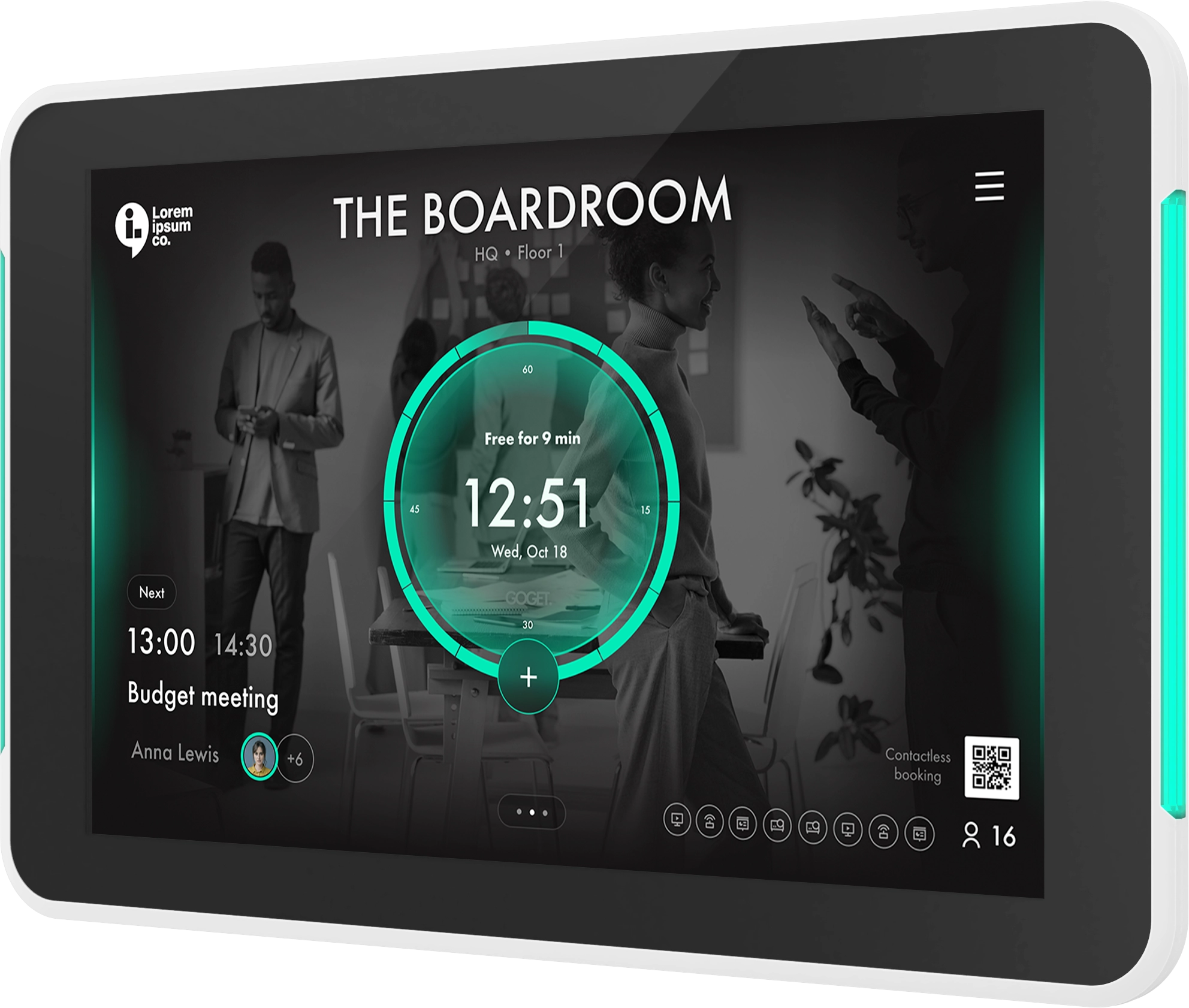
A meeting room display helps employees understand room status without opening a calendar or guessing from the hallway.
A good room display can show:
- whether the room is free or booked
- who or what the room is booked for, depending on privacy settings
- when the next meeting starts
- whether the room will be free soon
- options to book the room directly at the display
- check-in prompts for scheduled meetings
This visibility matters because ghost meetings often create a mismatch between what employees see in the calendar and what they see in the office. A display helps bring the room schedule into the physical workplace.
GOGET’s room booking software, Room Display X, is designed for room displays outside meeting spaces and supports familiar booking flows through Microsoft 365, Outlook, Teams, and Google Workspace. It also supports room check-ins, automatic no-show release, booking directly at the display, nearby-room booking, and central administration for rooms and devices.
Check-in Rules Help Confirm That Meetings are Real
Check-in workflows are one of the most practical ways to reduce ghost bookings.
The idea is simple:
- A room is booked for a meeting.
- When the meeting starts, attendees are asked to check in.
- If no one checks in within the configured time window, the booking can be released.
- The room becomes available for others.
This helps separate planned meetings from meetings that actually take place.
The key is to make check-in easy. If the workflow feels slow or confusing, employees may see it as extra admin. If it is clear and fast, it can become a normal part of using shared rooms.
Occupancy Sensors Add a Real-world Presence Signal
A room display can ask employees to confirm attendance. A room sensor can add another signal: whether the room appears to be occupied.
Occupancy sensors are useful because they help connect calendar data with real-world room usage. Instead of relying only on the booking calendar, workplace teams can get a clearer view of whether a booked room is actually in use.
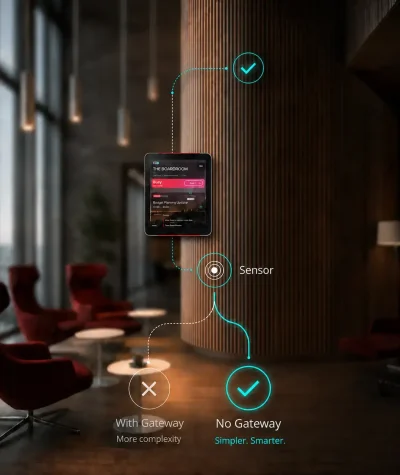
GOGET Room Sensors are designed as a practical extension of room booking, GOGET One, and workplace insights. GOGET describes its occupancy sensor as a PIR presence sensor that communicates with an assigned GOGET One via BLE. In configured workflows, sensor automation can support assisted check-in and vacancy release, helping workplaces reduce no-shows and make unused rooms available again.
It is important to use careful language here. A PIR presence sensor should not be described as a camera, people counter, identity tracker, or surveillance tool. Its role is to provide a presence or movement signal that helps the system understand whether a space appears to be in use.
Vacancy Release Helps Reclaim Rooms That Empty Early
Ghost meetings are not only about people failing to show up. They can also happen when meetings finish before the scheduled end time.
Vacancy release addresses that issue by helping free a room when it appears to be empty before the booking ends, depending on how the workflow is configured.
For example, if a 60-minute meeting ends after 30 minutes, the room may not need to remain blocked for the next half hour. With the right rules and presence signals, the workplace can make that time available again.
This is especially useful in offices where small meeting rooms are in high demand. Even short blocks of recaptured time can improve the employee experience during busy parts of the day.
Analytics Help Teams Find the Pattern Behind the Problem
Reducing ghost meetings is not only about freeing rooms in the moment. It is also about understanding why the problem happens.
Workplace analytics can help teams identify patterns such as:
- rooms with frequent no-shows
- recurring bookings that are rarely used
- meeting rooms that are booked more than they are occupied
- rooms that empty early
- peak times when ghost bookings create the most friction
- spaces that are too large or too small for actual usage
GOGET’s insights and planning capabilities include themes such as workspace utilization, reservation patterns, advanced occupancy, no-shows, recaptured time, underutilized spaces, and exportable data. This can help workplace teams move from anecdotal frustration to more informed planning.
Best Practices for Reducing Ghost Meetings
The strongest approach is to combine behavior, visibility, and automation.
1. Start with the employee experience
Employees need to understand why the change matters. The message should not be “we are monitoring rooms.” It should be “we are making it easier for everyone to find and use meeting space.”
When the benefit is clear, adoption becomes easier.
2. Keep room booking rules simple
Overly complex policies are hard to follow. Focus on a few rules that solve the biggest problems:
- cancel rooms when plans change
- check in when using a booked room
- avoid booking rooms larger than needed
- review recurring meetings regularly
- release rooms when meetings end early
3. Use displays to make status obvious
Room status should be visible before someone opens the door. A display outside the room can reduce confusion, support ad-hoc booking, and help employees trust the room booking process.
4. Add sensors where the room demand justifies it
Not every room needs the same setup. Sensors are most useful where there is enough demand, friction, or utilization complexity to justify an additional presence signal.
Good candidates include:
- small rooms that are frequently booked
- high-demand rooms near busy teams
- rooms that are often booked but visibly empty
- collaboration spaces with frequent ad-hoc use
- locations where facilities teams need better usage data
5. Treat sensor data as one signal, not the whole truth
A presence signal is valuable, but it should be part of a broader workflow. Booking state, check-in behavior, room display interactions, time thresholds, and admin rules all matter.
This balanced approach helps avoid overreacting to edge cases, such as someone stepping out briefly or people sitting still for a long time.
6. Use analytics to improve policy over time
The first policy will not be perfect. Use data to refine it.
If no-shows are common in one office, recurring bookings may need review. If rooms empty early every afternoon, vacancy release may be useful. If large rooms are often booked by small groups, capacity guidance may need improvement.
The goal is not to punish employees. The goal is to make shared space work better.
How Goget Helps Reduce Ghost Meetings
GOGET helps address ghost meetings by combining room booking software, purpose-built meeting room displays, room sensors, and workplace insights in one workspace platform.
For room booking, GOGET Room Display X supports check-ins, automatic no-show release of unused bookings, direct booking at the display, nearby-room search, calendar integration, and central administration. These capabilities help reduce the gap between booked rooms and usable rooms.
For physical room visibility, GOGET One provides purpose-built meeting room display hardware designed to work with the GOGET software platform. It gives employees a clear room-status touchpoint outside the meeting room and supports workflows such as check-in, booking, and room availability visibility.
For sensor-enabled workflows, GOGET Room Sensors can add a real-world occupancy signal when configured with GOGET One. This can support assisted check-in, vacancy release, and clearer workplace insights, depending on plan, configuration, room rules, and deployment setup.
For planning, GOGET Insights can help workplace teams understand patterns around utilization, no-shows, recaptured time, and underused spaces. This makes ghost meetings easier to manage as an operational pattern, not just a daily annoyance.
In a GOGET customer story, Gateway Engineers reported that GOGET helped streamline room bookings, reduce administrative overhead, and improve room-booking efficiency across more than 25 conference rooms. While every workplace is different, that type of operational clarity is exactly what ghost meeting reduction depends on.
Conclusion: Ghost Meetings are a Visibility Problem
A ghost meeting is not just an empty room. It is a sign that the workplace has lost alignment between calendars, people, and physical space.
The fix is not only stricter rules. Workplaces need a practical system that makes availability visible, encourages good booking behavior, confirms real usage, releases unused rooms, and turns usage patterns into planning insight.
The best results usually come from combining:
- clear room booking policies
- easy check-in workflows
- meeting room displays
- occupancy sensors where appropriate
- vacancy release
- recurring meeting cleanup
- workplace analytics
When these elements work together, employees spend less time searching for space, workplace teams get more reliable usage data, and meeting rooms become easier to manage.
To learn more, explore GOGET Room Booking and GOGET Room Sensors to see how room displays, check-ins, no-show release, and presence-based workflows can support a more reliable workplace booking experience.