Table of Contents
- Introduction
- What is a meeting room display?
- Professional display vs tablet: the key difference
- Why tablets often create more work in practice
- Why professional meeting room display hardware is usually the better choice
- When can a tablet still make sense?
- What buyers should evaluate before choosing
- Final thoughts
Introduction
In today’s workplace, meeting rooms need to be easy to find, easy to book, and easy to understand at a glance. That sounds simple, but in practice, many offices still deal with the same problems: unclear room status, wasted time walking between rooms, no-shows, and avoidable booking friction.
That is why many buyers start by asking a straightforward question: Should we install a professional meeting room display, or can we just mount a tablet outside the room?
On the surface, a tablet may look like the easier option. Buyers often search for terms like Samsung meeting room display, iPad meeting room display, Lenovo tablet room booking, ASUS tablet room scheduler, or Android tablet meeting room display because tablets are familiar and widely available.
The challenge is that a tablet and a professional meeting room display are not the same kind of product. A tablet is a general-purpose device. A professional meeting room display is designed specifically for a fixed corporate use case: showing room status, supporting booking workflows, and running reliably as part of office IT infrastructure.
That difference matters more than the initial hardware price.
What is a meeting room display?
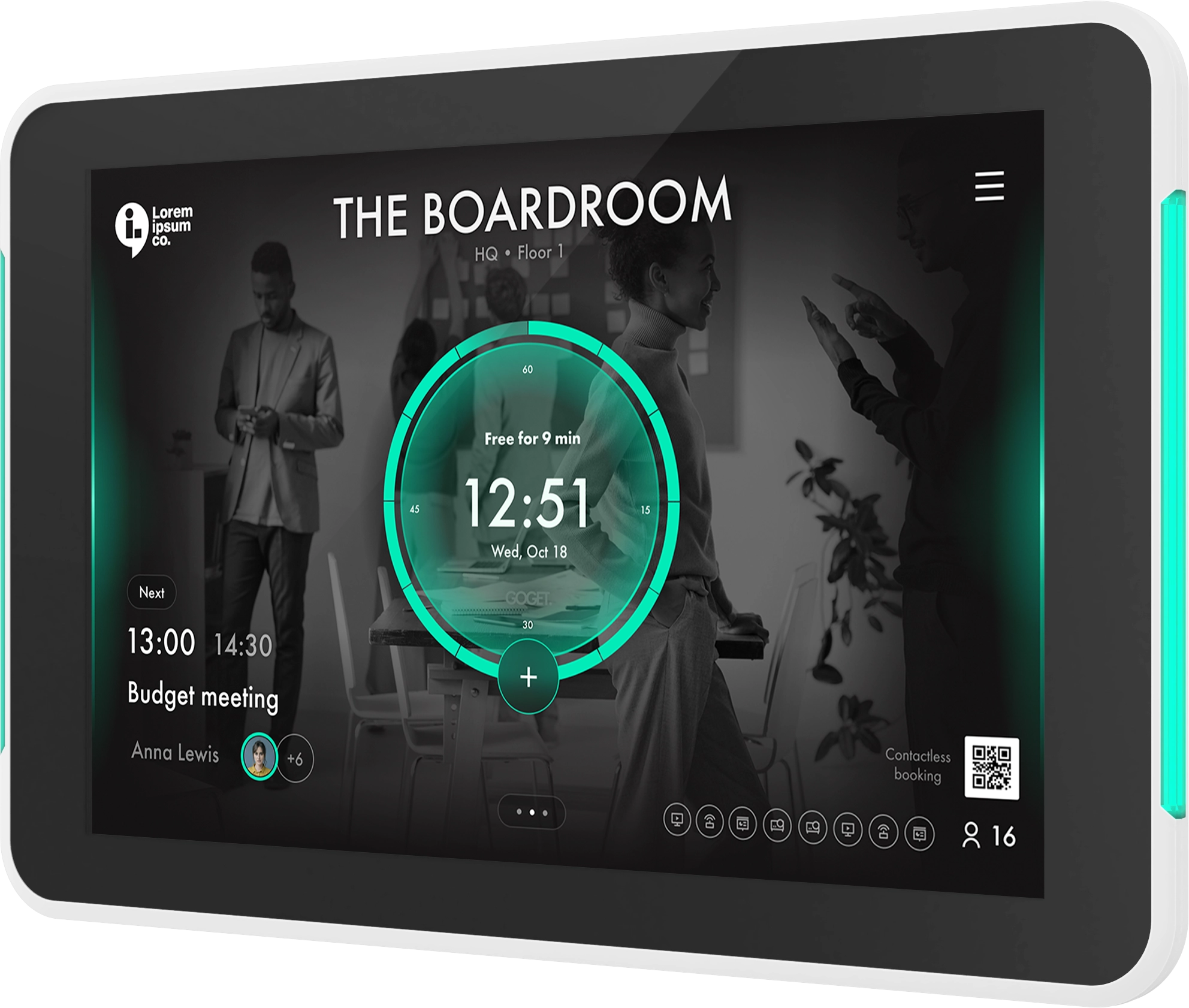
A meeting room display is a screen installed outside a meeting room that shows whether the room is free or occupied, what meetings are scheduled, and in many cases allows direct booking or check-in at the display.
In other words, it is not just a screen. It is part of the office booking workflow.
A professional meeting room display can help teams:
- improve visibility into room availability
- reduce booking friction
- support on-screen booking
- support check-in and no-show release
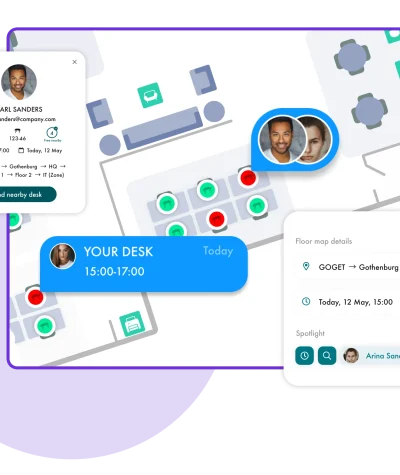
- help employees find nearby available rooms
- give admins more central control over rooms and devices
GOGET’s room-booking platform, Room Display X, is designed around these kinds of workplace workflows. It supports Microsoft 365 and Google Workspace integrations, room check-ins, automatic no-show release, nearby room booking, daily and weekly schedule views, room-equipment reporting, and central remote administration.
Professional display vs. tablet: the key difference
The key difference is purpose.
A tablet is built to be flexible. It is designed for many apps, many use cases, and often personal or mobile use. A professional meeting room display is built for one fixed job in one fixed setting.
That difference affects the entire deployment:
- installation
- power
- cable management
- security
- visibility
- device management
- reliability
- user experience
- long-term administration
This is especially important in hybrid workplaces, where room-booking technology needs to reduce confusion rather than add another layer of support work.
Why tablets often create more work in practice
1. Tablets are consumer devices, not professional-grade devices
A standard tablet is generally designed as a general-purpose device. That is useful in many contexts, but it is not the same as hardware designed specifically for a room-booking environment.
When a device is placed outside a meeting room, it becomes shared workplace infrastructure. Employees rely on it. Visitors see it. IT may need to manage it remotely. Facilities teams need it to look clean and consistent.
That is where consumer hardware often becomes a compromise.
2. The setup is usually more complex than it first appears
A tablet outside a meeting room is rarely just a tablet. It usually also requires:
- a third-party wall mount
- a power solution
- cable routing
- app lockdown or kiosk behavior
- device-management setup
- physical security considerations
- troubleshooting procedures for restarts, updates, or app interruptions
The challenge is that all of these pieces may come from different vendors and may need to be managed separately. That increases admin overhead.
By contrast, GOGET One is an integrated room-display solution with an integrated wrap-around mount, support for portrait and landscape, glass-mounting support, signature LED light bars, PoE+ as standard, and remote device management through the GOGET Dashboard.
3. Continuous operation is a different use case
A meeting room display is expected to behave like part of the office, not like a personal device placed on a charger.
For professional use, buyers should think about:
- continuous power
- stable network access
- long-term mounting
- consistent screen behavior
- remote administration
- reliable room-status visibility
GOGET One is explicitly positioned as purpose-built room display hardware for long-term support and expanding deployments, with Android 14, IEEE 802.1X LAN support, enterprise Wi-Fi authentication support, PoE+, and room-display-specific hardware features.
In other words, the device is designed around the corporate use case from the start.
4. The lower upfront price can become a false economy
This is one of the biggest practical issues for buyers.
A tablet may cost less upfront, but that does not automatically make it the lower-cost option in practice. Once you add mounting, power, management, configuration, and support work, the total effort can rise quickly.
That is why the more useful business question is not “Which screen is cheaper?” but “Which setup will create less friction over time?”
Why professional meeting room display hardware is usually the better choice
For most permanent office deployments, professional meeting room display hardware is the stronger option because it is designed around the actual workplace workflow.
Benefits of a purpose-built meeting room display
- Cleaner installation
The hardware is designed for fixed mounting outside rooms.
- Better room visibility
Dedicated LED indicators can make room status easier to understand from a distance.
- Simpler administration
Hardware and software are designed together, which can reduce troubleshooting and support work.
- Better fit for corporate environments
Features such as PoE+, enterprise networking, and remote device management are aligned with office deployment needs.
- More consistent employee experience
The device behaves like a room display, not like a repurposed consumer screen.
GOGET One combines purpose-built meeting room display hardware with Room Display X software and is positioned as part of a broader workspace platform that spans room booking, desk booking, wayfinding, interactive maps, space management, and insights.
When can a tablet still make sense?
A tablet can still be reasonable in a limited scenario.
For example:
1. you are running a short pilot
2. you only have one or two rooms, and only want to install an app such as Room Display X
3. you already accept the added management effort
4. the setup is temporary rather than strategic
But for a professional, long-term rollout across multiple rooms, the trade-off usually changes. At that point, the extra admin and troubleshooting become harder to justify.
If you decide to go for a tablet, our Room Display X app supports Android OS devices from major manufacturers.
What buyers should evaluate before choosing
Before choosing between a tablet and a dedicated display, ask:
1. Is this a temporary test or a permanent rollout?
2. Will the device need to run as fixed workplace infrastructure every day?
3. How much IT and facilities effort will the setup require over time?
4. Does the solution support clean installation and remote management?
5. Will the experience reduce booking friction for employees?
6. Can the setup scale across rooms, floors, or offices without becoming harder to manage?
These are the questions that separate a simple screen choice from a practical workplace decision.
Final thoughts
A tablet may look like the simpler and cheaper route to adding room displays outside conference rooms. But in most professional office environments, it is usually a compromise.
The challenge is not whether a tablet can display a booking app. It is whether a consumer device is the right foundation for a fixed corporate use case that needs to run reliably, look professional, and create less work for IT and workplace teams.
That is where a purpose-built meeting room display has the advantage.
GOGET One is positioned specifically around that need: purpose-built hardware, software designed for room booking, enterprise-ready networking, remote device management, and a cleaner long-term fit for corporate environments.
Take a closer look at GOGET One if you want a meeting room display setup designed for professional office use rather than adapted from a consumer tablet.